
Safety Monitoring Analyzer Alarms Keep Repeating? Start Here


When a safety monitoring analyzer keeps triggering repeated alarms, it can disrupt maintenance workflows, increase downtime, and make fault diagnosis far more difficult. For after-sales service teams, the key is to quickly determine whether the issue comes from sensor drift, wiring faults, parameter settings, environmental interference, or device aging. Start here to identify the most common causes and restore stable, reliable monitoring performance.
Why a checklist-first approach works better for repeated alarm faults
When a safety monitoring analyzer enters a repeated alarm state, the biggest risk is not only false triggering. The larger problem is wasted service time. Many after-sales engineers lose 2 to 6 hours by checking components in the wrong order, replacing healthy parts, or clearing alarms without confirming the root cause. A checklist-first method shortens diagnosis, reduces unnecessary spare-part use, and helps teams document consistent service actions across different sites.
In the instrumentation industry, analyzers are often installed in environments where temperature fluctuation, vibration, dust, humidity, electromagnetic noise, and process instability all exist at the same time. That means repeated alarms can come from multiple overlapping factors rather than one obvious failure. For after-sales maintenance personnel, the practical goal is to separate alarm source, signal path, parameter logic, and process condition step by step.
A good starting rule is simple: first confirm whether the alarm is real, false, or intermittent. If the same alarm repeats every 10 seconds, every 2 minutes, or only during startup and shutdown, the timing pattern itself gives useful clues. Many safety monitoring analyzer issues can be narrowed down within the first 15 to 30 minutes if the technician records alarm code, process condition, ambient condition, and recent service history before touching the hardware.
First questions to answer before opening the enclosure
- Did the repeated alarm begin after calibration, sensor replacement, wiring work, firmware update, or process change within the last 7 days?
- Is the analyzer alarming continuously, cycling at fixed intervals, or only under load changes, startup, cleaning, or ventilation changes?
- Does the displayed value move normally, freeze, drift slowly, or jump abruptly beyond the configured threshold?
- Is the repeated alarm local to one channel, one sensor head, one cabinet, or multiple instruments sharing the same power or communication path?
These checks help avoid a common field mistake: treating every repeated alarm as a sensor problem. In many industrial and utility installations, 20 mA loop instability, loose grounding, relay chatter, threshold hysteresis settings, and process pulsation are just as likely to be the trigger.
Core troubleshooting checklist for a safety monitoring analyzer
The following checklist is designed for fast field use. It prioritizes the items most likely to produce repeated alarms and arranges them in the order that usually delivers the quickest result. For after-sales teams handling environmental monitoring, process safety, power systems, laboratory support, or industrial online analysis, this sequence is practical across many analyzer types.
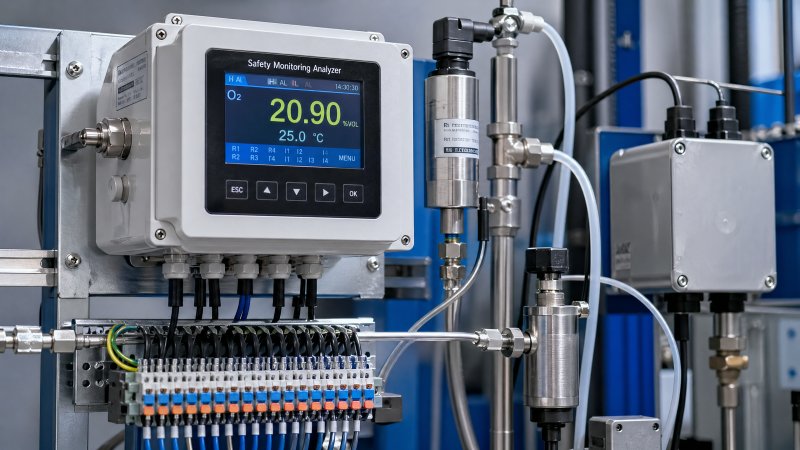
Check the sensing element and sample path first
Sensor drift is one of the most common causes of repeated alarm behavior, especially after 6 to 24 months of use depending on technology, exposure load, and maintenance quality. If the analyzer uses electrochemical, infrared, catalytic, optical, or other sensing principles, drift may appear as a slow baseline offset, delayed recovery, or unstable zero. A blocked sample line, contaminated filter, leaking fitting, or condensed moisture can create the same symptom even if the sensor itself is still healthy.
Before replacing the sensor, verify the sample path. Look for dust loading, liquid ingress, pump weakness, cracked tubing, or pressure fluctuations outside the normal operating range. In many field cases, a pressure pulse of only a few kPa or an intermittent flow loss is enough to push the reading above the alarm setpoint repeatedly. If the analyzer has a built-in flow indicator, compare actual flow against the recommended range and check whether flow remains stable for at least 5 to 10 minutes.
Quick sensing-element checks
- Confirm zero and span behavior with known reference gas, standard solution, or a simulator if the analyzer design allows it.
- Inspect filters, sample lines, traps, and inlet fittings for blockage, contamination, and leakage.
- Check sensor response time against the expected range; unusually slow recovery often points to aging or contamination.
- Review the last calibration date; if the interval already exceeds the site routine, drift risk increases significantly.
Then verify power, wiring, grounding, and signal integrity
A safety monitoring analyzer can repeat alarms because the measured value is unstable, but it can also repeat alarms because the electrical path is unstable. Loose terminals, oxidized connectors, shield grounding errors, moisture in junction boxes, and shared power noise are frequent field findings. This is especially relevant in mixed automation environments where analyzers, variable-frequency drives, control cabinets, and communications equipment are installed close together.
Measure supply voltage under load, not only at idle. A drop that appears minor on paper can still cause internal relay instability or analog output fluctuations. In a typical 24 VDC system, repeated alarms may appear when the supply dips during pump startup, fan switching, or heater activation. If multiple channels alarm together, suspect common power or grounding before suspecting multiple sensors failing at once.
Communication and output mapping should also be checked. A local display may show a stable value while the remote control system receives noisy or scaled data because of analog range mismatch, Modbus register mapping errors, or relay logic inversion. In after-sales work, this distinction matters: the analyzer may be operating correctly while the alarm repeats at the control layer.
The table below helps prioritize the most common repeated alarm causes by field symptom and recommended first action.
This priority table is useful because it reduces unnecessary part replacement. If the symptom points clearly toward logic timing or common power quality, sensor replacement is rarely the right first move.
Parameter settings and alarm logic: the most overlooked source of repeated alarms
In many service calls, the safety monitoring analyzer hardware is fine, but the alarm configuration is not matched to the real process. This is common after commissioning changes, maintenance resets, or controller integration updates. A threshold set too close to the normal operating value, missing hysteresis, or delay time set to 0 seconds can create a repeating alarm even when the process is only oscillating slightly.
For example, if the normal process value moves between 48 and 52 units and the alarm setpoint is fixed at 50 with little or no deadband, the analyzer may switch alarm state repeatedly during every small fluctuation. Adding a delay of 5 to 30 seconds or a reasonable reset gap can dramatically reduce nuisance alarms. The exact value depends on process response, sampling speed, and safety requirement, but the principle is consistent across many applications.
Parameter items that should always be reviewed
- Alarm setpoint versus actual process range during normal, startup, and transient conditions.
- Alarm hysteresis or reset differential, especially when the measured value naturally fluctuates.
- Delay time, latch function, acknowledge logic, and relay fail-safe configuration.
- Input scaling, engineering units, signal filtering, and averaging window length.
- Cross-check between local analyzer setting and DCS, PLC, or SCADA alarm mapping.
If an analyzer includes configurable digital filtering, do not assume the highest filter setting is best. A 10-second to 60-second averaging window may suppress noise, but it can also delay the real response and create confusion during testing. The right approach is to compare process dynamics, safety target, and operator expectation. In fast-changing applications, over-filtering can be as harmful as no filtering at all.
The following table can be used as a practical parameter review guide during service visits.
By reviewing these settings in a fixed order, after-sales personnel can often resolve repeated alarm complaints without replacing any hardware. It also improves customer confidence because the reasoning is visible and traceable.
Scene-based checks: what changes by installation environment
Not every safety monitoring analyzer behaves the same way in the field. The diagnosis path should reflect where the device is installed and how it is used. Environmental monitoring points, industrial process lines, laboratory skids, utility stations, and outdoor cabinets each introduce different stress factors. A repeated alarm in a clean indoor cabinet usually points to different causes than one in a humid outdoor shelter.
Industrial and utility installations
In manufacturing, energy, and power applications, pay close attention to vibration, switchgear noise, thermal cycling, and shared grounding systems. Repeated alarms often appear during load transitions, motor starts, valve movement, or purge cycles. If the event always occurs during a predictable operating phase, trend the alarm against process action timing over at least 3 consecutive cycles before making a replacement decision.
Environmental and outdoor monitoring points
At outdoor monitoring stations, condensation, insect ingress, filter saturation, and seasonal temperature swings are frequent triggers. A safety monitoring analyzer may remain electrically healthy while moisture intermittently disturbs connectors or sample flow. In these locations, inspect seals, drain paths, cabinet heater condition, and venting arrangement. If repeated alarms increase after rain, high humidity, or rapid day-night temperature change, enclosure condition becomes a top priority check.
Laboratory and high-accuracy applications
In laboratory or quality-control environments, repeated alarms may come from strict thresholds combined with frequent calibration changes, sample switching, or reagent condition variation. Here, even small baseline movement matters. Verify consumable age, calibration sequence, line cleanliness, and whether recent maintenance introduced air bubbles, residual chemicals, or mismatched tubing materials. A high-precision analyzer can alarm repeatedly for reasons that would be insignificant in a rough industrial process.
Scene-based reminder list
- Outdoor points: inspect moisture, seal aging, cabinet temperature control, and filter loading every 1 to 3 months.
- Process lines: compare alarm timing with pumps, valves, fans, and purge actions across multiple cycles.
- Laboratory systems: check calibration consumables, sample switching sequence, and contamination risk after cleaning.
Common missed items that keep the alarm coming back
Some repeated alarm cases are difficult not because the failure is complex, but because the same small oversight survives multiple service visits. In the instrumentation sector, recurring issues often come from incomplete records, no baseline comparison, or replacing one part without checking the connected system. If the analyzer alarms again within 24 to 72 hours after service, review what was not checked rather than repeating the same action.
One common missed item is maintenance history. If a sensor was changed, but the old calibration values were copied incorrectly, or a range setting was left from the previous application, the analyzer may appear normal until the process approaches the threshold. Another missed item is relay contact wear. The displayed value may be stable, yet the alarm output chatters because of mechanical or wiring-side issues.
Do not ignore process-side reality. A repeated alarm is sometimes genuine. Short gas releases, intermittent leaks, unstable reagent feed, or brief process excursions can trigger repeated alarms that are inconvenient but valid. If you suppress the signal without proving the source, you risk hiding a real safety or quality problem. In service practice, distinguishing nuisance alarm from valid recurring event is one of the most important responsibilities.
High-risk oversights to avoid
- Clearing the alarm without exporting logs, taking photos, or recording values before reset.
- Replacing the sensor before checking sample line blockage, moisture trap condition, or power fluctuation.
- Adjusting alarm thresholds without reviewing whether the event reflects a real process safety issue.
- Ignoring remote system logic differences between analyzer output and control-room alarm display.
Practical service execution plan and next-step support
For after-sales teams, the best field method is to standardize the first visit. Spend the first 10 minutes collecting alarm code, occurrence frequency, process state, ambient condition, and recent maintenance changes. Spend the next 20 to 40 minutes checking sensor status, sample path, power, and wiring. Only then move to parameter logic and system integration checks. This sequence works well because it separates physical causes from configuration causes before major intervention.
If parts may be needed, prepare by confirming model compatibility, input-output type, expected calibration method, and normal lead time. In many analyzer service projects, the most useful spare items are filters, tubing, connectors, fuses, power modules, and approved sensing elements rather than complete analyzer replacement. For planned support, it is also helpful to know whether the site requires shutdown windows, sample gas support, or calibration references on hand.
What to prepare before asking for technical support
- Analyzer model, channel type, measuring principle, and current parameter snapshot.
- Alarm code, event frequency, trend screenshots, and the last known stable operating period.
- Calibration date, sensor age, consumable replacement record, and recent wiring or process changes.
- Site photos showing installation condition, enclosure status, sample path, and terminal area.
Why choose us? We can help you review safety monitoring analyzer alarm behavior from the service perspective that matters most in the field: parameter confirmation, replacement-part matching, sample path evaluation, wiring and signal troubleshooting, application fit, and maintenance cycle planning. If you need support, contact us to discuss model selection, configuration review, spare-part compatibility, delivery timing, custom service plans, certification-related requirements, sample support, or quotation details for your maintenance project.
Recommended for You
 US-China Trade Talks Agree on Tariff Cuts for Key Test Equipment PartsUS-China tariff cuts on key test equipment parts—like pressure sensor chips & infrared thermal imaging modules—boost margins, cut costs, and strengthen global competitiveness for manufacturers.
 G7 Paris Meeting Focuses on Critical Mineral Supply SecurityCritical mineral supply security takes center stage at the G7 Paris meeting—key for rare-earth sensor exporters. Learn EU compliance impacts & actionable readiness steps.
 Brent Crude Surpasses $106/bbl, Raising Sea Freight Costs for Small Testing Equipment ExportsBrent Crude Surpasses $106/bbl—sea freight costs surge, impacting small testing equipment exporters. Learn how SMEs can adapt pricing, terms & logistics now.
 WTO Forecasts 1.9% Global Goods Trade Growth in 2026 Amid Supply Chain ShorteningWTO forecasts 1.9% global goods trade growth in 2026—sparking nearshoring demand for testing equipment, calibration services & OTA-ready solutions in ASEAN, Middle East & Mexico.
 UK-China Export Control Working Group Holds Second Meeting in LondonUK-China Export Control Working Group: Key updates on dual-use items—laser interferometers, quantum sensors & oscilloscopes. Learn compliance implications for exporters now.
 Japan's 10Y Yield Drop to 2.745% Lifts Yen, Raising China-Made Testing Equipment CostsJapan's 10Y yield drop to 2.745% lifts yen, raising costs for China-made testing equipment — explore FX impacts, procurement shifts & strategic responses.
 KOSPI 200 Futures Circuit Breaker Triggered, Impacting Industrial Automation Instrument Export TimelinesKOSPI 200 futures circuit breaker triggered — impact on PLC modules, transmitters & fieldbus instrument exports to Korea. Urgent timeline insights inside.
 South Korea’s Chip Exports Surge 202% in May 2026 Amid AI Test Equipment DemandAI test equipment demand surges as South Korea’s chip exports jump 202% in May 2026 — PCIe 6.0 & USB4.1 validation tools see sharp global procurement rise.
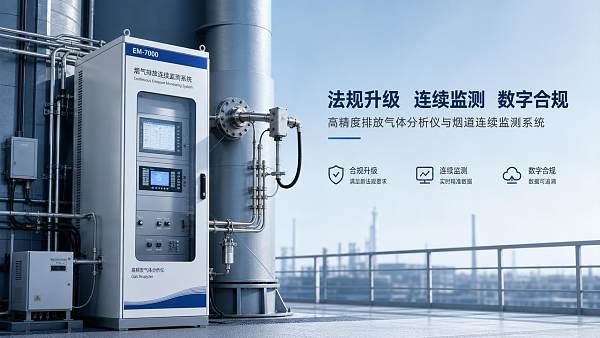
 Emission Gas Analyzer News in 2026: Regulatory Shifts Affecting DemandEmission gas analyzer demand is changing fast in 2026 as new regulations tighten limits, expand continuous monitoring, and raise data compliance standards. Explore key trends shaping smarter buying decisions.
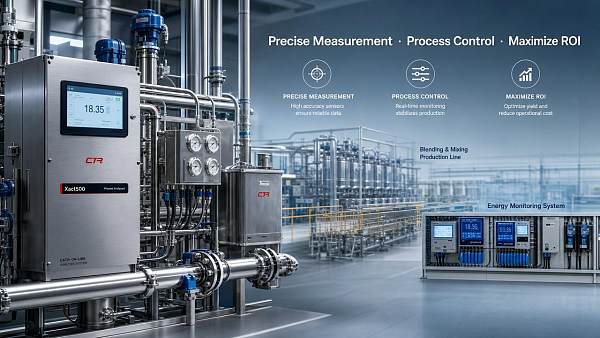
 When a High Accuracy Analyzer Delivers Real ROI in Process ControlHigh accuracy analyzer ROI starts with better process control. Learn where tighter measurements cut waste, improve stability, reduce compliance risk, and deliver measurable operational savings.
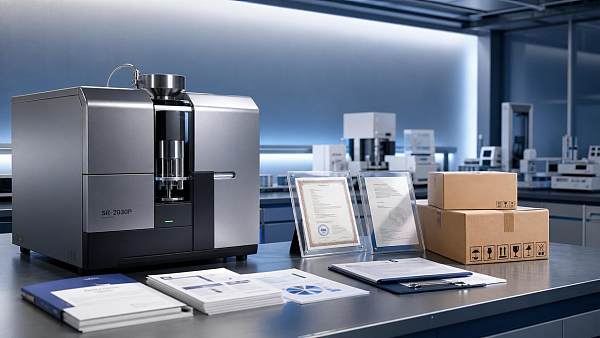
 SR-2030P Analyzer Import Updates in 2026: Compliance Points to ReviewSR-2030P analyzer import updates for 2026: review classification, certification, customs documents, and market access risks to reduce delays, control costs, and source with confidence.
 Industrial Oxygen Analyzer Price Trends in 2026: Cost Drivers to WatchIndustrial oxygen analyzer price trends in 2026 explained: compare sensor, compliance, installation, and maintenance cost drivers to make smarter, lower-risk buying decisions.
 Laser Oxygen Analyzer or Industrial Oxygen Analyzer: Which Fits BetterLaser oxygen analyzer or industrial oxygen analyzer? Compare speed, accuracy, maintenance, and cost to find the best fit for smarter, more reliable process control.
 ATEX Gas Analyzer Demand in 2026: What Is Shaping the MarketATEX gas analyzer demand in 2026 is driven by safety, digital integration, and lifecycle value. See what shapes buying decisions across industry, utilities, hydrogen, and automation.
 Fixed Gas Analyzer vs Portable Options: What Matters for Plant UseFixed gas analyzer or portable detector for plant use? Compare safety, response time, maintenance, and cost to choose the right monitoring solution with confidence.
 Explosion Proof Analyzer Selection Mistakes That Increase Site RiskExplosion proof analyzer selection mistakes can raise compliance, maintenance, and safety risks. Learn the key errors to avoid and how to choose a safer, more reliable solution.
 SR-2000 Infrared Analyzer: Key Performance Checks Before InstallationSR-2000 infrared analyzer pre-installation guide: learn how to verify accuracy, drift, site readiness, and calibration support to reduce startup risk and ensure stable long-term performance.
 How to Choose a Continuous Gas Analyzer for Stable 24/7 MonitoringContinuous gas analyzer selection guide for stable 24/7 monitoring. Learn how to compare accuracy, response time, maintenance, and integration for smarter industrial decisions.
 IEC Approves China-Led Standard for Smart Sensor Semantic InteroperabilityIEC TR 63372 smart sensor semantic interoperability standard—led by China—cuts export certification time by 30%. Discover how it reshapes global IoT integration.
 MIIT Launches Joint Enforcement on EV Battery RecyclingMIIT's EV battery recycling enforcement targets BMS data leaks, illegal dismantling & electrolyte disposal—key for exporters, testers & procurement teams needing GDPR/CCPA compliance.
 SAMR Launches Unified Market Action on Testing & CertificationSAMR Launches Unified Market Action on Testing & Certification—tackling fragmentation, redundant fees & cross-border recognition barriers for exporters and manufacturers.
 Fifteenth Five-Year Urban Renewal Plan Approved, Signaling Overseas Procurement for Smart Water & Environmental Monitoring DevicesSmart water & environmental monitoring devices gain global momentum as China’s 15th Five-Year Urban Renewal Plan mandates intelligent infrastructure—key for Belt and Road exports.
 IMF Warns AI Amplifies Financial Cybersecurity RisksAI amplifies financial cybersecurity risks—IMF warns. Discover how XAI verification, adversarial attacks, and regulatory mandates impact AI detection equipment, FinTech, and banks.
 Tmall Health Launches 'Health Supplement Safety Alliance'Health Supplement Safety Alliance launched by Tmall Health—boosting traceability, lab credibility & cross-border quality for brands like By-Health and Centrum.
 EN IEC 61000-6-4:2026 EMC Standard Effective for AI Edge DevicesEN IEC 61000-6-4:2026 EMC standard is live—15% stricter radiated limits for AI edge devices. Act now to secure EU industrial IoT procurement eligibility.
 APEC Auto Dialogue Confirms Semi-Solid Battery Deployment and Fast ChargingSemi-solid battery deployment & 15-min fast charging confirmed at APEC Auto Dialogue—spurring global demand for China-made battery testing equipment, BMS validation, and thermal runaway simulation solutions.
 EU Imposes Final Anti-Dumping Duty on Chinese Adipic AcidEU anti-dumping duty on Chinese adipic acid takes effect May 2026—impacting pH meters, sensors & analytical instruments. Act now to secure supply chains.
 Colombia Upholds Anti-Dumping Duties on Chinese Acrylic SheetsColombia Upholds Anti-Dumping Duties on Chinese Acrylic Sheets — 32.7% tariff extended for 5 years. Critical for exporters of medical, lab & analytical instrument enclosures.
 Multi Component Analyzer Cost Trends for 2026 Expansion PlansMulti component analyzer cost trends for 2026: discover key pricing drivers, hidden costs, and smart supplier strategies to budget accurately and maximize expansion ROI.
 SR-2050 Analyzer Maintenance Points That Affect Service LifeSR-2050 analyzer maintenance points that directly impact service life, accuracy, and uptime. Learn how cleaning, calibration, inspection, and environment control reduce failures.
 SR-S2000 Shelter: Common Setup Mistakes to AvoidSR-S2000 shelter setup mistakes can cause heat, moisture, and maintenance issues. Learn what to avoid for safer installation, stable performance, and longer equipment life.
 Custom Gas Analyzer Import Risks and Spec Mismatch IssuesCustom gas analyzer import risks can derail projects through spec mismatch, compliance gaps, and integration issues. Learn how buyers can compare suppliers, verify requirements, and avoid costly rework.






Search Categories
Search Categories
Latest Article
- US-China Trade Talks Agree on Tariff Cuts for Key Test Equipment PartsUS-China tariff cuts on key test equipment parts—like pressure sensor chips & infrared thermal imaging modules—boost margins, cut costs, and strengthen global competitiveness for manufacturers.Posted by:
- G7 Paris Meeting Focuses on Critical Mineral Supply SecurityCritical mineral supply security takes center stage at the G7 Paris meeting—key for rare-earth sensor exporters. Learn EU compliance impacts & actionable readiness steps.Posted by:
- Brent Crude Surpasses $106/bbl, Raising Sea Freight Costs for Small Testing Equipment ExportsBrent Crude Surpasses $106/bbl—sea freight costs surge, impacting small testing equipment exporters. Learn how SMEs can adapt pricing, terms & logistics now.Posted by:
Please give us a message
