How to reduce customer support response times


When an instrument fails or a control system raises an unfamiliar alarm, waiting for help can disrupt operations and delay critical decisions. Faster Customer Support starts with clear information: the equipment model, error messages, operating conditions, and troubleshooting steps already taken. This guide explains practical ways to prepare a support request, choose the right contact channel, and help suppliers diagnose issues sooner—so operators can reduce response times and get equipment back to work.
Start with safety, then decide how urgent the request is
A quick supplier response is useful, but it is not a substitute for the site’s emergency procedures. If an alarm indicates a potential danger to people, the environment, or equipment, follow the applicable operating and escalation procedures immediately. Contact the responsible site personnel before waiting for an external technician.
Once the situation is stable, describe the operational impact in terms the support team can use. “The transmitter is not working” leaves too much open. “The pressure reading is frozen, the process is stopped, and the backup instrument is available” tells the supplier both what has happened and how urgently assistance is needed.
Distinguish between a complete outage, an unreliable measurement, and a question about configuration. A production line may continue safely with an approved backup, while an intermittent reading on a critical measurement point may need immediate assessment. Do not assume that an instrument displaying a value is measuring correctly.
Send a support request that an engineer can act on
The most common avoidable delay is a series of basic questions after the ticket has been opened. Gather the details below if they are accessible without interrupting safe operation. If something is unknown, say so rather than guessing.
- Identify the equipment: Manufacturer, model, serial number, relevant software or firmware version, and the site asset tag. Include the controller or connected system when it may be involved.
- Record the symptom: Exact alarm text or code, what the instrument displays, and what behavior was expected. A clear screen photo can help, provided it does not expose sensitive information.
- Describe the conditions: When the issue started, whether it is continuous or intermittent, and the operating conditions that appear relevant. For a flow instrument, for example, the medium and whether the line was running or stopped may matter.
- Note recent changes: Maintenance, configuration changes, a software update, replacement parts, or an interruption to utilities can narrow the investigation. Report changes without assuming they caused the fault.
- List checks already completed: State what was checked, when, and what happened. “Restarted twice; alarm returned immediately” is more useful than “tried everything.”
- Explain the impact: Whether the process is stopped, a backup is in use, results are being held, or the issue affects only a noncritical function. Include the time zone and a reliable callback number.
For measurement problems, include the units, the range being used, and the reference used for comparison. If an operator reports that a temperature reading is “high,” the support engineer needs to know high relative to what: another sensor, a process expectation, or a verified reference. Do not adjust calibration simply to make two displays agree.
For a laboratory analyzer, the useful details may be different: the affected method, the point in the sequence where the fault occurs, and whether control or verification results are affected. Remove patient information, sample identifiers, and other restricted data from files unless an approved sharing process is in place.
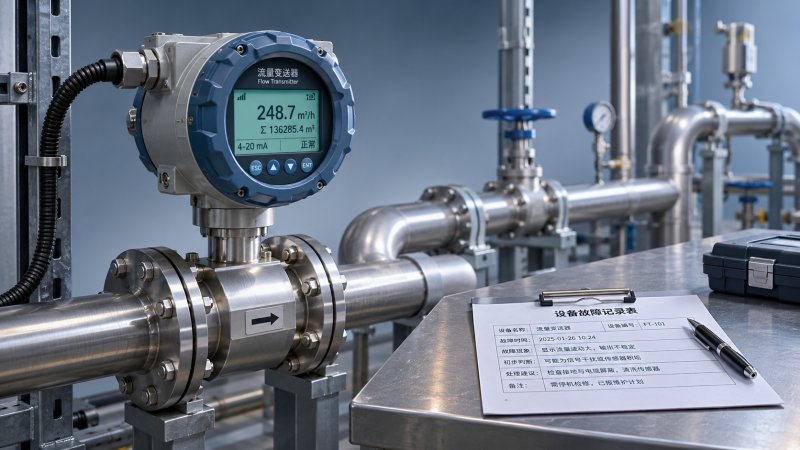
A concise example
Subject: Flow transmitter alarm — line stopped — callback requested
Message: “Our flow transmitter, model and serial number attached, began displaying the attached alarm during normal operation today. The line is stopped under site procedure. The alarm returned after an operator performed the restart permitted by our procedure. No configuration changes are known; maintenance history is being checked. Please advise the next safe diagnostic step and call the site contact listed below.”
This is a format, not a script. If the model label is inaccessible or the cause of a shutdown is uncertain, say that plainly. A partial but accurate report is better than an urgent ticket held back while someone searches for every detail.
Choose the channel that matches the problem
For an operational outage, use the supplier’s published urgent-support route or the contact specified in your service agreement. A phone call may establish urgency quickly, but it should usually be followed by a ticket or email containing the alarm, equipment details, and agreed actions. Written records reduce the chance that information is lost during a shift change.
For configuration questions, documentation requests, or nonurgent issues, a support portal can be more practical. It gives the engineer time to review attachments and route the request to the appropriate specialist. Check the portal for required fields and attachment limits before sending large logs.
The right organization is not always the name on the instrument. A local distributor may handle warranty intake, while a system integrator may be responsible for the control application around it. For a networked device, the instrument vendor may need the integrator or site controls team to check communication on their side. Start with the contact named in the contract or handover documents; ask who owns the next step if the request is transferred.
Avoid opening several unrelated tickets for the same fault unless instructed to do so. Duplicate requests can scatter evidence across teams. If you must contact more than one party, share the existing ticket reference and identify one person at your site to coordinate updates.
Make it easy for the support team to reach you
A support request can be answered promptly and still stall if the person who submitted it is unavailable or cannot access the equipment. Name a primary contact and an alternate, specify their time zone and shift hours, and indicate who is authorized to make operational decisions. If an engineer calls while the line operator is off shift, the alternate should be able to find the ticket history.
Keep updates in one thread where possible. When the supplier asks for a log, photograph, or reading, reply against the ticket rather than starting a new conversation. If the requested information will take time to obtain, say when you expect to provide it. That is more useful than leaving the engineer unsure whether the request was received.
Where remote access might be needed, check the site’s approval process before the call. A supplier may need a secure connection, an authorized escort, or a designated workstation. Do not bypass cybersecurity controls to save time, and do not send passwords or unrestricted process data in an ordinary email.
Collect evidence without making the fault harder to diagnose
Repeated restarts, resets, and parameter changes can erase useful diagnostic information or introduce a second problem. Capture the alarm and relevant operating conditions before taking permitted action. Follow the equipment instructions and site procedures; do not open energized equipment, override interlocks, or alter safety-related settings simply to produce more information for a ticket.
An intermittent communication fault illustrates the trade-off. Restarting a device might temporarily restore a reading, but it may also remove evidence of when the connection failed. Record timestamps, affected devices, and any visible network or controller messages first, if it is safe to do so. Then tell support exactly what was restarted and what changed.
Similarly, a suspected calibration issue is not automatically a calibration problem. A reading can be affected by installation, process conditions, configuration, or the reference used to check it. Ask the supplier what evidence would separate these possibilities before removing equipment or changing settings. If calibration records or traceability are relevant, involve the responsible quality or metrology personnel.
Escalate with a clear record, not just a stronger subject line
When the expected response has not arrived, check the acknowledgment and the support terms that apply to your equipment. Business hours, regional coverage, support entitlement, and the distinction between first response and resolution can all affect expectations. A response-time commitment, where one exists, does not necessarily mean a repair will be completed within the same period.
Follow up using the ticket number. State when the request was submitted, the current operational impact, what information has already been provided, and the next decision your team is waiting to make. Ask for a named owner and the next update time. If the issue has worsened, explain what changed rather than merely repeating that it is urgent.
If escalation is necessary, use the route in the service agreement or ask the distributor or supplier for its escalation contact. Keep site management informed according to local procedure. A useful escalation might be: “The backup is no longer available, so the line remains stopped. We sent the requested logs under ticket reference X. Who is reviewing them, and when can we expect an update?”
Prepare before the next fault
The fastest request is often the one supported by information already at hand. Keep an accessible equipment register with model and serial numbers, software versions where relevant, supplier contacts, contract references, manuals, and approved escalation routes. Review it after equipment replacement, a supplier change, or a system upgrade; an outdated contact list can waste time at the worst moment.
For critical equipment, agree internally on who can provide diagnostic files, approve remote access, isolate the process, and speak with the supplier. Store previous fault reports and verified fixes where the next shift can find them, but check that an old fix applies before repeating it. Similar alarms can have different causes.
Industry resources such as Global Instrument Hub can provide context on instrumentation categories and suppliers when a team is reviewing its support arrangements. They do not replace the equipment manufacturer’s instructions or the site’s own procedures. Before the next incident, test one practical question: can an operator find the correct support contact, equipment identity, and escalation route without relying on a colleague who may be off shift?
Recommended for You
 How to reduce customer support response timesReduce Customer Support response times with actionable tips for reporting equipment faults, choosing the right channel, and getting expert help faster.
 How to choose a low range analyzer for trace-level measurementsChoose the right low range analyzer for trace-level measurements. Compare detection limits, sampling, calibration and support to make a confident decision.
 How to choose combustible gas detectors for a specific gasChoose combustible gas detectors with confidence. Compare sensor technologies, gas response, calibration, placement, and certification for your application.
 How to choose an air quality analyzer for the pollutants you need to measureChoose an air quality analyzer with confidence. Compare pollutant measurement methods, sampling, accuracy and calibration to find the right fit for your needs.
 How to choose industrial metrology tools for tight tolerancesChoose industrial metrology tools for tight tolerances with confidence. Compare uncertainty, calibration, tool types, and costs to reduce inspection risk.
 How moisture affects fixed analyzer accuracy in stack gas monitoringImprove fixed analyzer accuracy in stack gas monitoring. Discover how moisture causes dilution, interference, and sample loss—and learn practical ways to protect emissions data.
 How does production line speed affect in-line measurement accuracy?Discover how production line speed affects in-line measurement accuracy. Explore sensor response, sampling, and timing to boost throughput without compromising quality.
 How condensation affects HCl concentration analyzer accuracyHCl concentration analyzer accuracy can suffer when condensation traps HCl. Learn how to spot sampling losses, prevent low readings, and improve measurement reliability.
 How does cross-interference affect multi-component gas analyzers?How does cross-interference affect multi component gas analyzers? Explore measurement errors, compensation limits, and validation tips to choose the right system for your process.
 How does temperature affect high-accuracy sensor performance?Explore how temperature affects high accuracy sensor performance. Learn to reduce thermal drift, evaluate compensation, and select the right sensor for reliable measurements.
 Can a C4H8O concentration analyzer distinguish between isomers?Can a C4H8O concentration analyzer distinguish isomers? Compare GC, FTIR and MS methods, uncover selectivity limits, and learn what to validate before choosing your instrument.
 How to identify a reliable supplier using on-time delivery recordsIdentify a Reliable Supplier by verifying on-time delivery records, original commitments, and complete shipments. Learn practical checks to reduce purchasing risk and protect your project schedule.
 How sensitive should a portable hydrogen analyzer be for lab use?Choose a portable hydrogen analyzer for laboratory use with the right quantification limit, accuracy, and range. Learn how to verify performance and avoid costly buying mistakes.
 How to set industrial calibration intervals based on equipment riskSet industrial calibration intervals based on equipment risk, drift, and as-found data. Learn when to shorten or extend schedules to improve reliability and avoid unnecessary costs.
 How to choose electrochemical analyzers for low-current measurementsCompare electrochemical analyzers for precise low-current measurements. Learn how noise, leakage, bandwidth, and real-cell testing help you choose the right instrument.
 What tolerance does a custom gas mixture need for calibration?Choose the right custom gas tolerance for calibration. Learn how blending tolerance, certified uncertainty, and stability affect accuracy—and avoid paying for precision you don’t need.
 How condensation affects stack detector readings in wet flue gasStack detector readings can drift when wet flue gas condenses. Learn how to identify moisture interference, prevent sample losses, and improve emissions monitoring reliability.
 How to prevent condensation in a CO2 analyzer sampling systemPrevent condensation in your CO2 analyzer sampling system. Learn how to control dew point, eliminate cold spots, and manage moisture for reliable readings and fewer costly disruptions.
 How to verify accuracy claims for industrial quality analyzersVerify accuracy claims for industrial quality analyzers with calibration checks, independent testing, and clear acceptance criteria. Learn how to reduce risk and buy with confidence.
 How to calculate cooling loads for an industrial analyzer shelterSize industrial analyzer shelter cooling with confidence. Learn to calculate equipment heat, solar gains, and ventilation loads, then select HVAC capacity for reliable analyzer performance.
 Hydrogen Analyzers for Energy Storage: Purity Monitoring vs. Leak DetectionChoosing a hydrogen analyzer for energy storage systems? Compare purity monitoring and leak detection to select the right sensors, improve safety, and protect fuel cell performance.
 NH3 Monitoring in Fertilizer Plants: Where Should Leak Analyzers Be Installed?NH3 analyzer for fertilizer production: discover where to place leak detectors around storage, compressors, and loading areas to reduce blind spots and improve early warning.
 Diesel Engine NOx Analyzers: Response Time and NO2 Conversion ExplainedChoosing a NOX analyzer for diesel engines? Learn how response time, NO2 conversion, and sampling design affect accuracy—and make a smarter, evidence-based purchase.
 SO2 Analyzers for Smelter Emissions: Sampling Hot, Dust-Laden Flue GasSelect an SO2 analyzer for smelting industry applications. Discover how to handle hot, dust-laden flue gas, prevent sample losses, and achieve reliable emissions monitoring.
 Unstable CH4 Readings in Biogas Monitoring? Check Moisture and Sample FlowCH4 analyzer for biogas monitoring giving unstable readings? Discover how moisture, sample flow, and pressure checks help pinpoint faults and restore reliable methane measurements.
 Buying a CO2 Analyzer for Brewery Gas Recovery: Costs Beyond the Purchase PriceBuying a CO2 analyzer for brewery applications? Compare sampling, installation, calibration, and downtime costs to uncover hidden expenses and make a smarter gas recovery investment.
 Where to Place CO Analyzers for Effective Parking Garage VentilationOptimize your CO analyzer for parking garage ventilation with practical placement tips. Learn how sensor height, airflow, and zone coverage support timely detection and effective fan control.
 NDIR vs. FTIR Gas Analyzers: Which Fits Your Environmental Research?Find the right infrared gas analyzer for environmental research. Compare NDIR vs. FTIR on sensitivity, gas coverage, sampling needs, and cost to choose confidently for your study.
 Oxygen Analyzers for Diving: Calibration Checks Before Nitrox BlendingUsing an oxygen analyzer for diving applications? Discover essential calibration, sensor, and sampling checks before nitrox blending to support reliable readings.
 How Paramagnetic Oxygen Analyzers Work and Why Sample Pressure MattersLearn how a paramagnetic oxygen analyzer works, why sample pressure affects accuracy, and what to check in compensation and calibration before choosing your system.
 How Much Does a Complete CEMS Integration Project Typically Cost?How much does a complete CEMS integration project typically cost? Explore budget ranges, hidden installation costs, and compliance needs to compare quotes and plan confidently.
 What Is the Typical Response Time for Industrial Air Monitors?What is the typical response time for industrial air monitors? Explore T90, sampling delays, and alarm settings to compare performance and choose the right monitor with confidence.


Search Categories
Search Categories
- Smart Meters & Power Quality
- Transformer Gas Analyzers
- BESS Thermal Runaway Detectors
- Energy, Power & Smart Grid Monitoring
- Optical Profilers & CMM
- Ultrasonic & X-Ray NDT
- Calibration Standards
- Precision Metrology & NDT
- Water Quality Analyzers
- CEMS & VOCs Monitors
- Price Trends
- Import & Export Updates
- Market Trends
- Industry News
- Industry Insights
Latest Article
- How to reduce customer support response timesReduce Customer Support response times with actionable tips for reporting equipment faults, choosing the right channel, and getting expert help faster.Posted by:
- How to choose a low range analyzer for trace-level measurementsChoose the right low range analyzer for trace-level measurements. Compare detection limits, sampling, calibration and support to make a confident decision.Posted by:
- How to choose combustible gas detectors for a specific gasChoose combustible gas detectors with confidence. Compare sensor technologies, gas response, calibration, placement, and certification for your application.Posted by:
Please give us a message